A local business website has a simple job: to help a nearby customer decide to contact you. It does not need to be big. It needs to be clear, fast and complete. Use this checklist before you launch a site, or to review the one you have.
1. Say what you do in the first screen
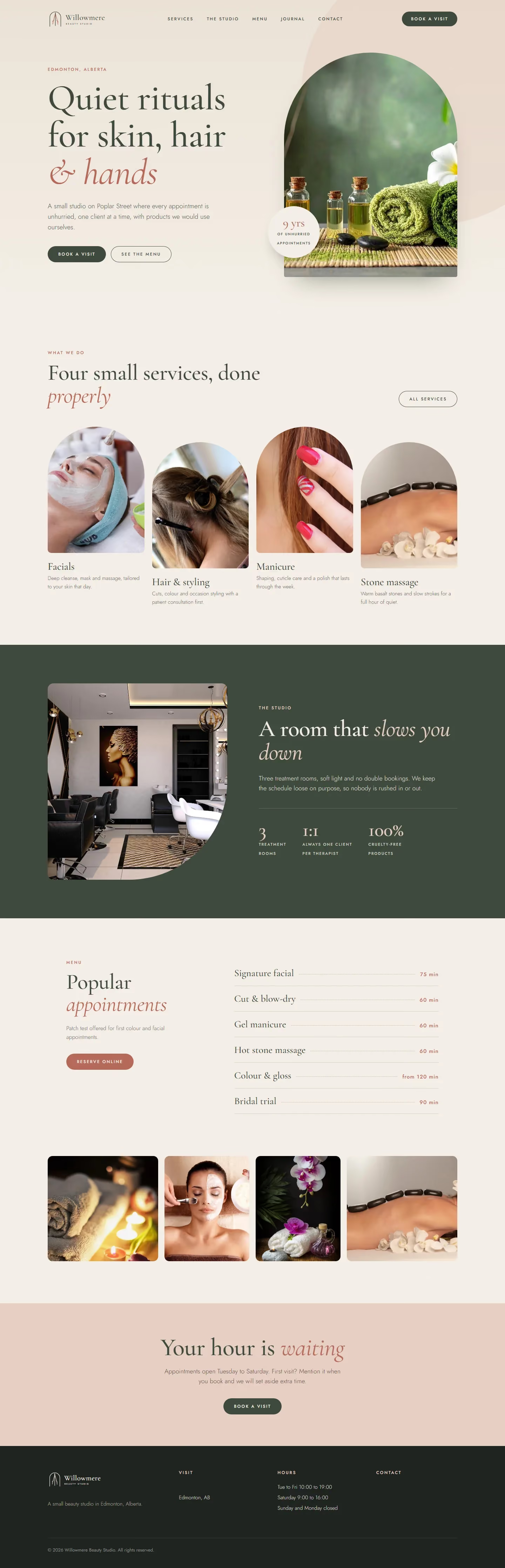
Visitors decide in seconds. The top of your home page should say what you offer, who it is for and where you work, in plain words. “Photo restoration and scanning in Smoky Lake, Alberta” tells a visitor more than “Welcome”. Add one clear button, such as “Request a quote”.
2. Make contacting you easy
Put your phone number, email and a short form where people look for them: in the header or footer, on the contact page and at the end of each service page. Make phone numbers tap-to-call on phones. Say how you prefer to be contacted, and how fast you reply. If you receive parcels or visitors, give the address or mailing details clearly.
3. Give each service its own page
One page per service lets you explain it properly, and lets people find it in search. Each page should say who it is for, how it works, what it costs or how it is quoted, how long it takes and what to do next. See how the pages on this site are organised, for example photo restoration and scanning.
4. Show proof that is real
Photographs of your own work, short case descriptions, years of experience and certifications you hold all build trust. Never invent reviews or awards. If you have few reviews so far, show the work and describe how you work. A page that is honest and specific is more convincing than one that boasts. Browse the portfolio for an example.
5. Answer common questions
A short page of questions removes doubts: how pricing works, how long things take, what happens if the customer is not sure. Questions you answer on the site are questions you do not have to answer by phone. See the FAQ.
6. Include an about page with a face
People hire people. A short, honest page about who you are, where you trained and how you work makes a business feel real. Include a clear photograph. Read the about page for an example.
7. Make it work on a phone
Most visitors come from a phone. Check that text is readable without zooming, that buttons are large enough to tap and that the menu is simple. Test every form with a thumb.
8. Keep it fast
A slow site loses visitors. Use properly sized images, avoid large videos and heavy scripts and test the site on a weak connection. Speed also helps search ranking.
9. Help local search find you
Use your town and region in titles and headings where it is natural. Keep your business name, address or service area, and phone number identical everywhere they appear. Claim a Google Business Profile and link it to the site. Add structured data, so search engines can read your details.
10. Be clear about privacy and cookies
If your site collects messages, uses analytics or sets cookies, say so in a short privacy page, and give visitors a choice where the law asks for one. Keep forms simple, and protect them against spam.
11. Measure, then improve
Check how many people visit, which pages they read and how many contact you. Make one change at a time, such as a clearer headline or a shorter form, and see what happens. A website is never finished, but it should always be improving.
Related guides
For a single page that sells one offer, read the landing page checklist. To keep your brand consistent, see what a brand book is. If you also print materials, read how to plan a tri-fold brochure.
Want a website designed for your business?
Tell me about your business and your customers. I reply with questions, a plan and a quote. You can request a design quote here, see web design, and call, email or message me using the details at the bottom of this page.